How it works
Set up a document type once by pointing at the values. After that, any file of that type becomes JSON automatically.
You do this once per document type. It takes minutes, and you only ever point at things. There is no expression language to learn: the one step that involves arithmetic is built from dropdowns, and the tool proposes it for you.
1. Open a real example
Drag in a file your system has produced. It stays in your browser. Nothing is uploaded while you are setting things up.
No file to hand? Press Load demo instead. It opens a sample statement with the finished template already applied, so you can see all five steps at once and press Extract straight away.
Because these files were laid out for a printer, every value sits in the same place on every copy. The account code is always on the same line, starting at the same column. That reliability is what makes this approach work.
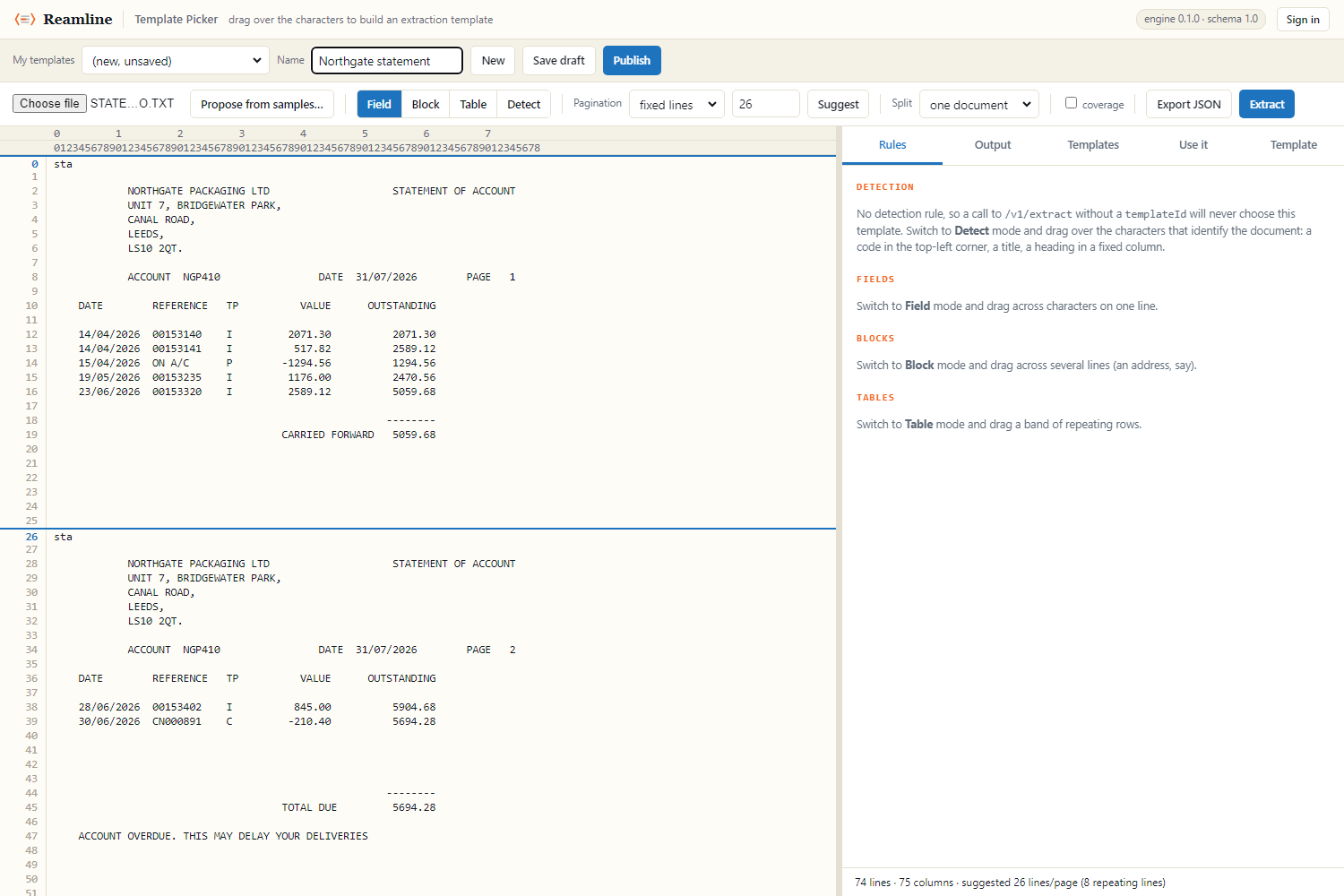
2. Point at the individual values
Choose Field and drag across an account number, a date, a total. Each one becomes a named value in the result, and you name it to suit whatever will receive it.
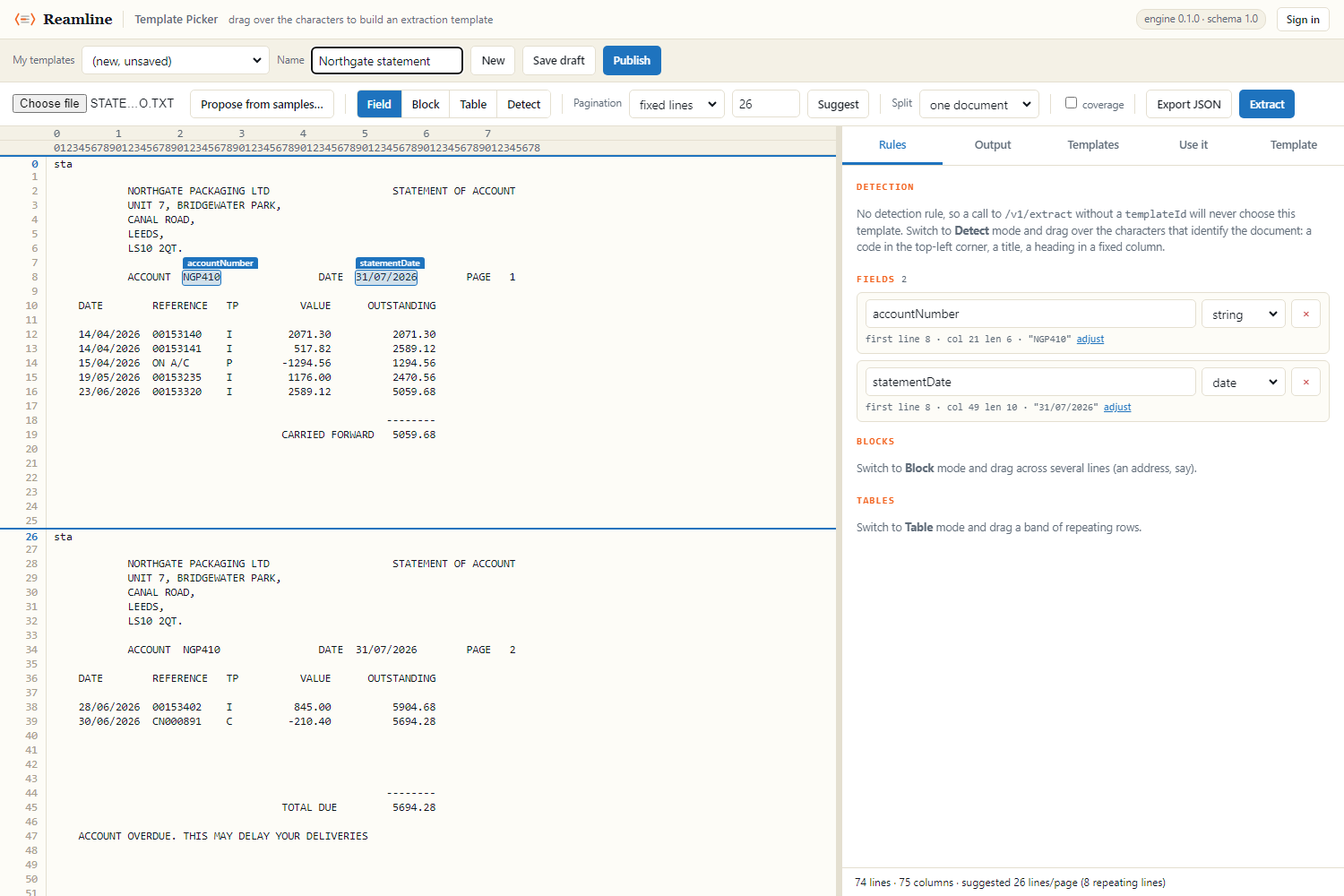
3. Point at the rows that repeat
Transaction lines are a Table. Drag a box around the rows, then drag across each column in turn. It stays ready for the next column, so you can do them all in one go.
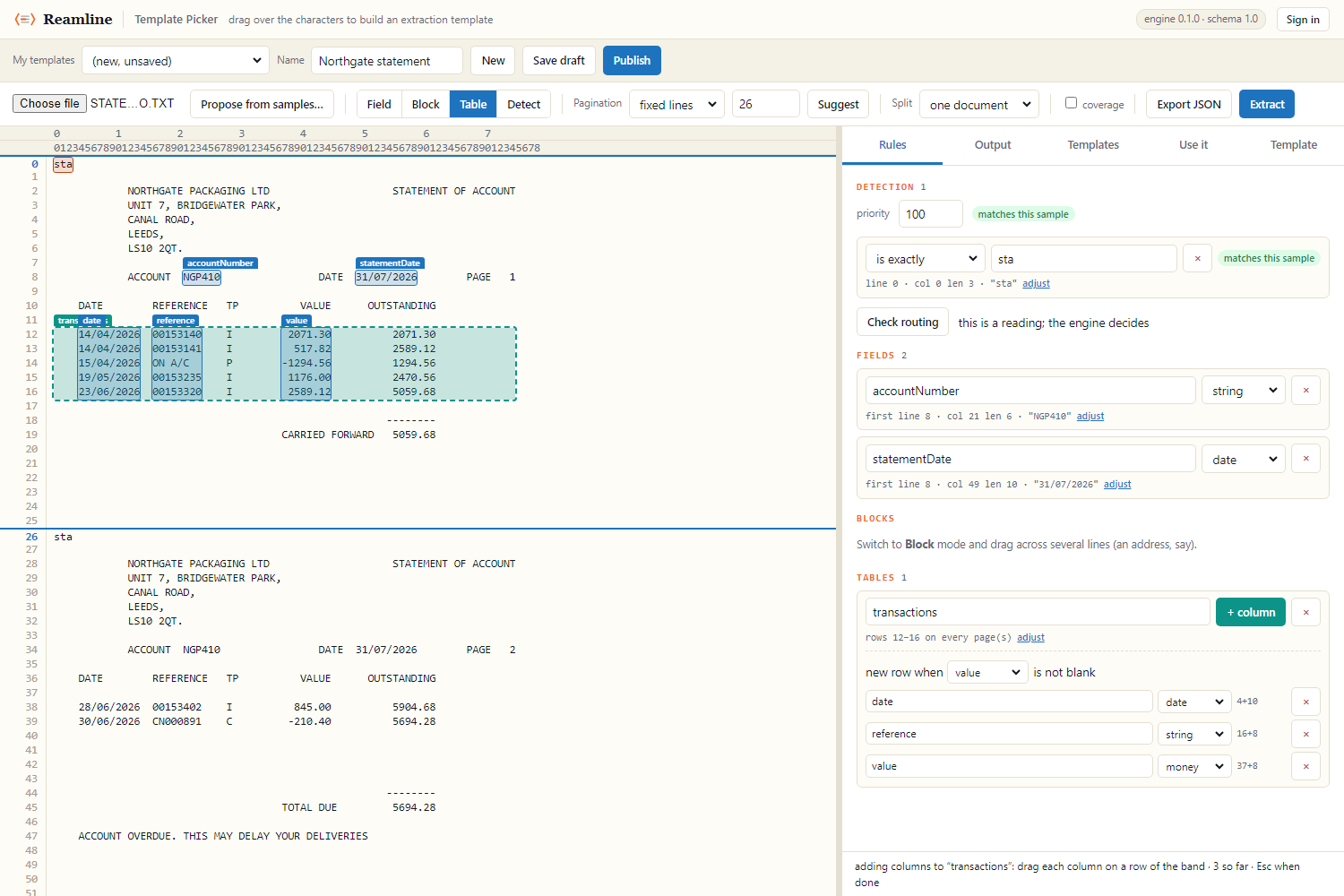
4. Say how to recognise this document
Choose Detect and drag over whatever marks the document type: a code in the corner, a report title, a heading. This is what lets you send files without having to say what they are.
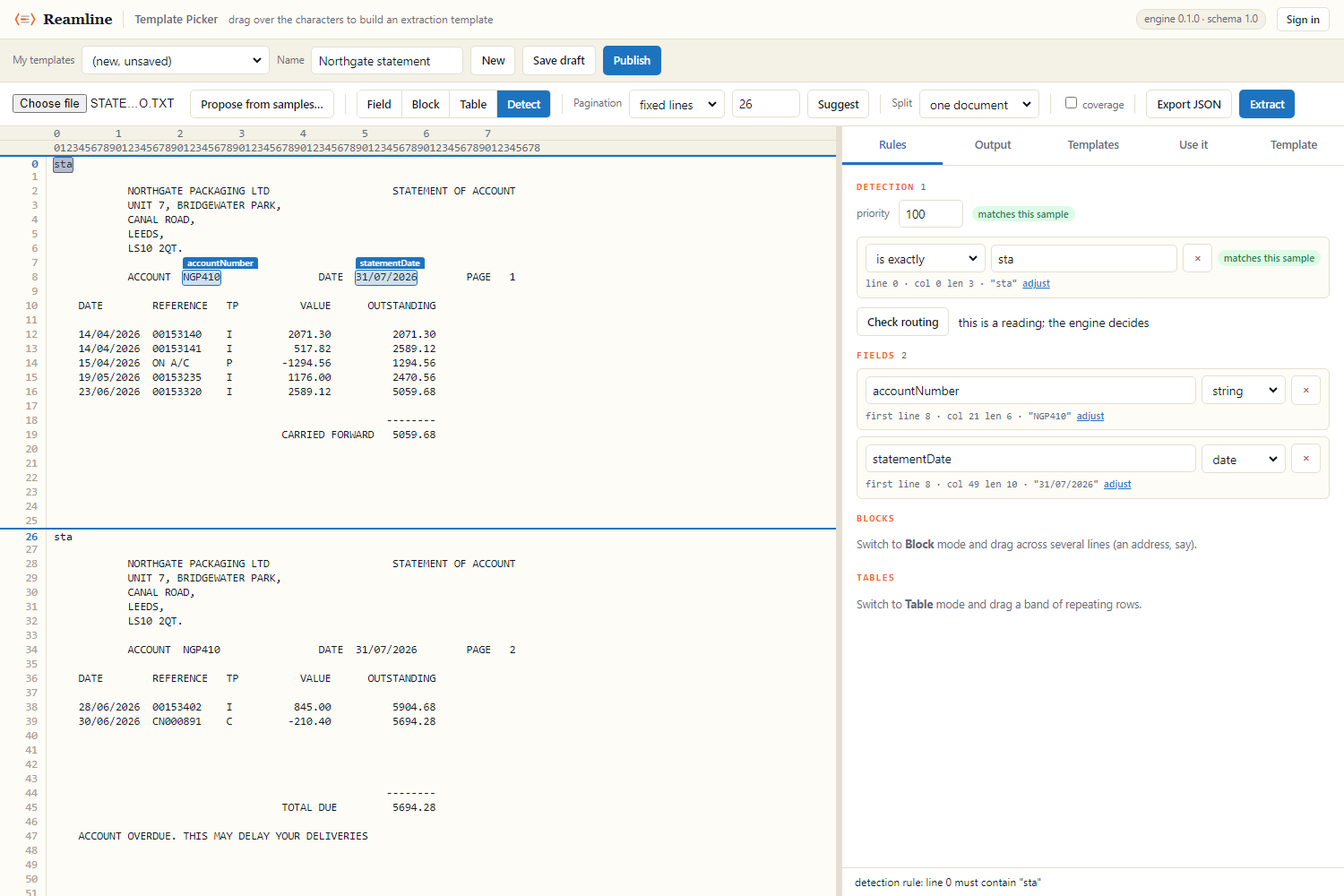
sta; invoices
start with inv. The green label confirms it as you go. Open a
different document type to check the rule is not too broad. A rule that
claims everything is the mistake you cannot otherwise spot.5. Say what must add up
This is the step that separates a parser from a parser you can trust. A check states something that should always be true of this document, and the usual one is that the transaction lines add up to the printed total.
Press Suggest from this file and the tool looks for arithmetic that already holds across every document you have loaded, then offers it. It proposes only relationships that are exactly true, with no rounding allowance, because one that merely nearly holds is a coincidence and would fail on the first real run.
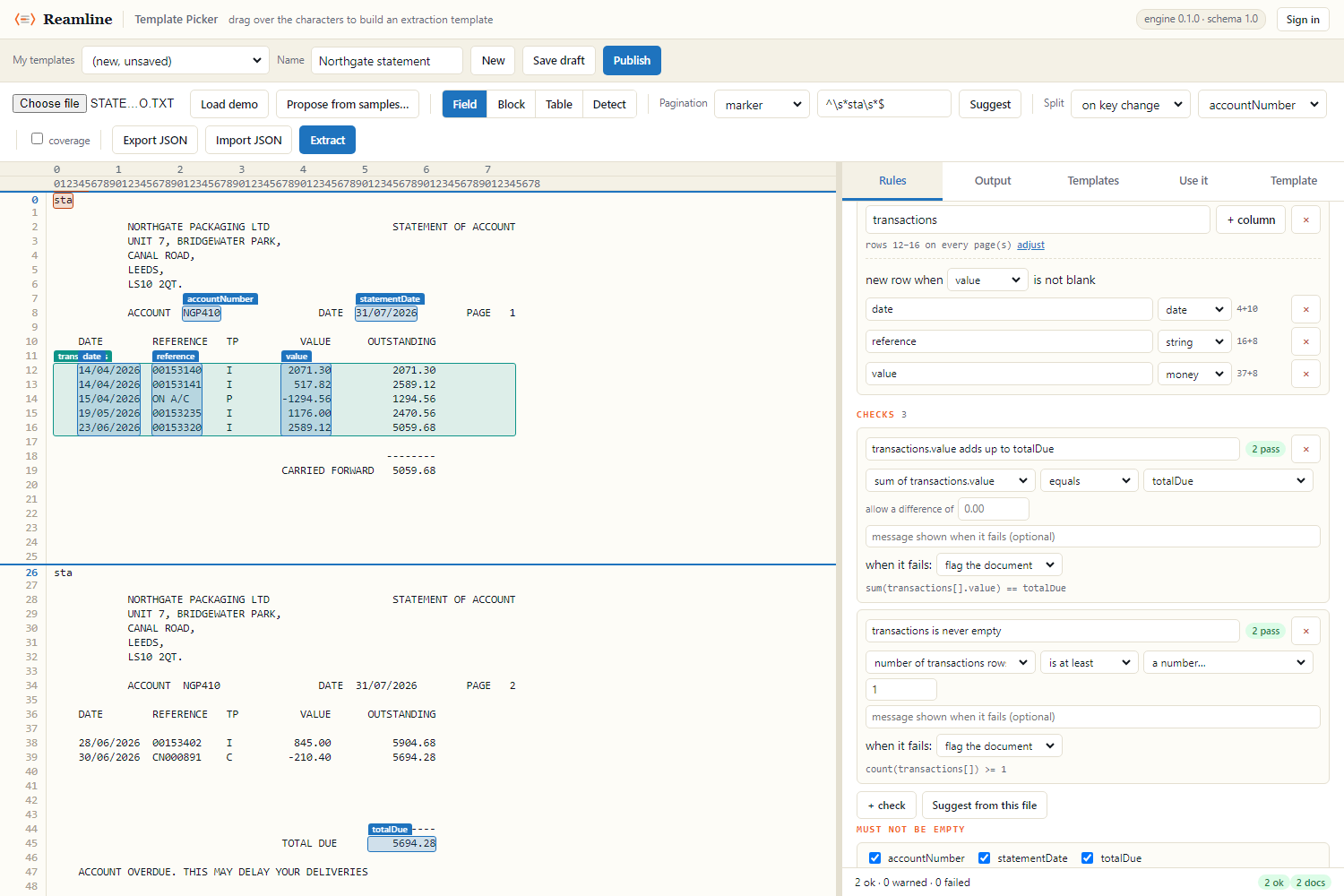
Figures printed rounded to the penny drift by up to half a penny per row, so on a long report set allow a difference of rather than picking a tolerance that is too tight on big documents and too loose on small ones.
You can also tick fields under Must not be empty. What that catches is a layout change that silently empties one, which otherwise arrives as a blank rather than as an error.
6. Check the result, then publish
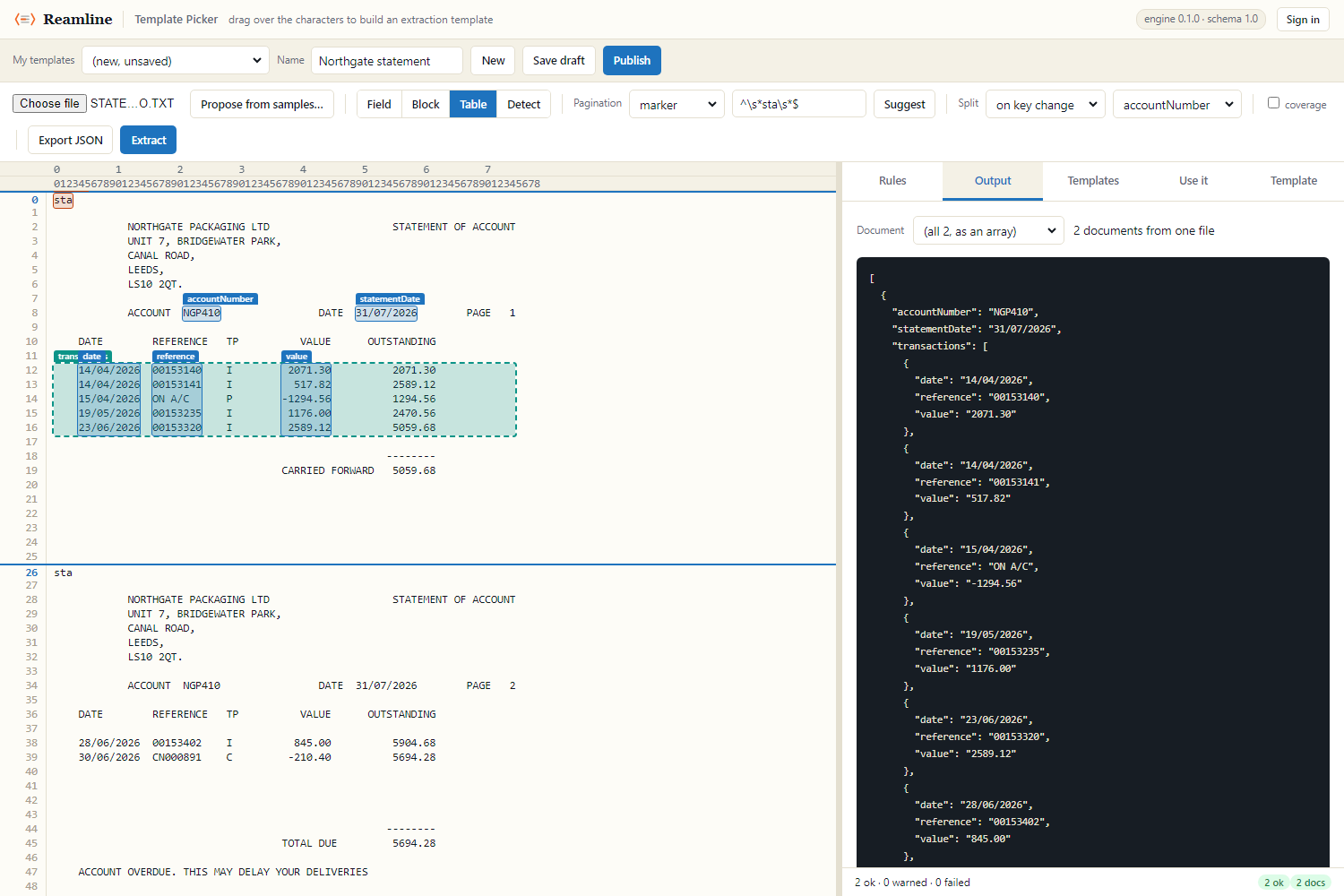
Press Extract to see the JSON that comes out, exactly as the API will return it. When you are happy, press Publish. From that moment the document type can be processed automatically.
One file, many documents
A statement run arrives as a single file containing every customer. Two settings turn it into one result per customer, and it is worth knowing which does what.
| Setting | What it decides |
|---|---|
| Pagination | Where each printed page starts. |
| Split | Which pages belong to the same customer. Usually on key change, so a new document begins when the account code changes. |
Splitting this way handles long statements without being told to: one that runs onto a second page still carries the same account code, so both pages stay together as a single result.